Logistics and transport
Transport orders read, dispatched and tracked without retyping
A forwarder has transport orders read from email, planned on one dispatch board and followed by customers on a status page, with delivery documents matched to the shipment before invoicing.
Freight forwarder with its own trucks, 18 people
Transport order read automatically
Transport order 2291.pdf
Fields are read from the document and compared with the customer record before a dispatcher sees it.
- Naručitelj d.o.o. Customer
- Tomorrow morning, customer warehouse Loading
- In two days, by noon Unloading
- 12 pallets, stackable Goods
The unloading address differs from the one on file. A dispatcher must check it.
The build at a glance
The sector
A forwarder lives on documents and timing.
A transport order arrives by email, usually as a PDF in the customer’s own layout, and has to become a shipment with a truck, a driver and two time windows. During the trip the customer wants to know where the goods are. Afterwards, the signed delivery document has to come back before an invoice can be issued. Each of these steps is small, and there are dozens of them every day.
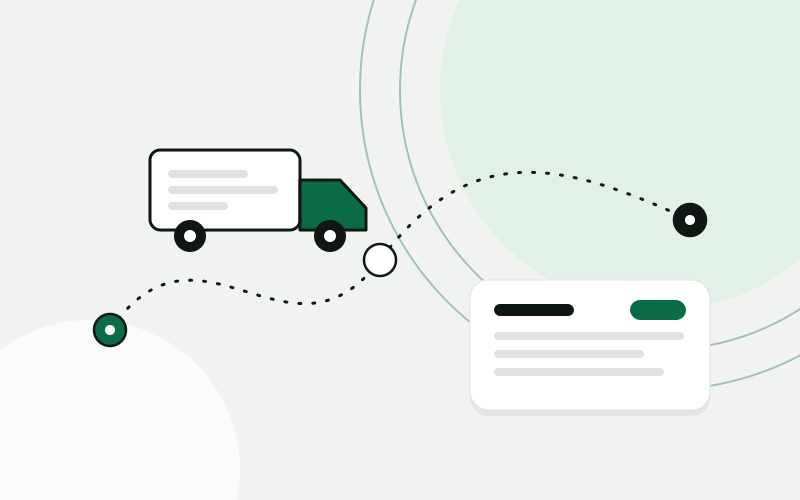
Where the time goes
Dispatchers typed every order into a spreadsheet and into the invoicing program. Planning was done in that spreadsheet and on the phone with drivers. Customers called to ask where their goods were, and a dispatcher called the driver to find out. Signed delivery documents arrived as photos in a messaging app and had to be matched to shipments by hand. Invoices went out late because nobody was sure which documents had come back.
Every transport order is typed in twice
Status questions from customers interrupt dispatch all day
Delivery documents arrive as photos and are matched by hand
Invoices wait until somebody confirms the paperwork is complete
One system around how the work is done
Dispatch today
- Loaded, on the way to unloadingTruck 1
- Waiting at loading, time window exceededTruck 2
- Delivered, document photographedTruck 3
- Order confirmed for tomorrowPartner
- 01
Transport orders read from the inbox: customer, addresses, time windows and goods are extracted and shown to a dispatcher for confirmation
- 02
A dispatch board with shipments, trucks and drivers, where an order is assigned by dragging it to a vehicle
- 03
A driver app for accepting the job, marking loading and unloading and photographing the delivery document
- 04
CMR and delivery notes read and matched to the shipment, with missing signatures or remarks flagged
- 05
A status page for each customer, with a link sent when the shipment is confirmed
- 06
Completed shipments with documents attached handed to your accounting software as draft invoices
How the project runs
Four steps, one process at a time
- 01
Map the process
We follow a week of shipments from the order email to the invoice and collect examples of the documents your customers send.
- 02
Pilot one process
Order intake goes live first, for the customers who send the most orders, with a dispatcher confirming every one.
- 03
Extend
The dispatch board and the driver app follow, then the customer status page and the handover to invoicing.
- 04
Care
We watch the reading accuracy as new document layouts appear and keep the integrations running.
What changes for the team
- Dispatchers check extracted orders instead of keying them in
- Everyone sees the same plan, including who is late
- Delivery documents are attached to the shipment when the driver photographs them
- Invoices are prepared from completed shipments, not from a list of reminders
An order is confirmed rather than typed, and it stays one record from the email to the invoice. Customers look up the status themselves, so dispatch is interrupted less often. Invoicing starts from shipments whose documents are already attached.
A composite scenario based on typical projects in this sector. It does not describe a named client, and the sample data is illustrative.
The same working day, before and after
What a few ordinary moments look like once the system is in daily use.
Questions from this sector
Our customers all send orders in different formats. Can they be read?
In most cases, yes. The model reads the document as a person would, so it does not need a template per customer. Whatever it is unsure about is flagged, and a dispatcher confirms every order before it becomes a shipment.
What about handwritten remarks on a CMR?
Printed fields are read reliably; handwriting less so. The system notes that a remark or a signature is present and shows the image to a person, who decides what it means.
Can it connect to our vehicle tracking?
If your tracking provider offers an interface for reading positions, we can show them on the board and on the status page. We check that during the mapping, before promising it.
We also use partner carriers. Do they need the app?
No. A partner can receive the order by email with a link for confirming it and uploading the delivery document. The shipment is tracked on the same board.
Use cases in this story
Supplier invoices read, matched and ready to post
Incoming invoices are read, matched to purchase orders and sent for approval before they reach the books.
Open use case AI integrationsBusiness automationData out of documents, into your systems
Contracts, forms, delivery notes and statements are read and their data placed where it is needed.
Open use case Business automationAI integrationsCustomers check their order without writing to you
Order and delivery status available on your site or by reply, pulled live from the shop and the courier.
Open use caseMore sector stories
 Wholesale and distributionStock, purchasing and quotes that run on one set of numbersA distributor moves stock, purchasing and sales into one ERP, connects the B2B portal to it, and gets quotes drafted from live prices and stock.Building-materials distributor, 25 peopleRead the story
  Accounting and bookkeepingClient documents collected, read and ready for the bookkeeperAn accounting office gets one place where clients hand in documents, an AI step that reads them, and a bookkeeper who confirms before anything is posted.Accounting office, 10 peopleRead the story
  E-commerce and retailFrom paid order to shipped parcel without copying dataAn online store connects the webshop, the warehouse, the courier and support, so an order moves on its own and customers can check its status themselves.Online store with its own warehouse, 15 peopleRead the story
 Show us one process. We will show you what it could look like.
The analysis is free, takes about an hour of your time, and ends with a written summary you keep.
Prefer to read first? See examples