AI integrations
AI that works inside your systems
We connect language models to your documents, inbox, CRM and ERP, so they can read, look things up and draft, and hand the result to a person where it matters.
Assistant on your data
Which open quotes have had no reply for more than a week?
Four quotes are waiting. The oldest is for Kovač Interijeri, sent by Ivan. I have drafted a follow-up for each; they are in your drafts folder.
What it is
Useful when it can see your data and a person can check it
A general chatbot knows nothing about your customers, prices or procedures. The value comes when a model can read your documents, query your systems and show where an answer came from. It pays off for work that is mostly reading and writing: sorting email, extracting data from documents, answering the same questions, preparing drafts.
- Answers grounded in your documents, with the source shown
- Drafts and extracted data go to a person before they count
- Tested against your real examples before launch
Document reading
Invoice 2024-1187.pdf
- Dobavljač Plus d.o.o. Supplier
- PO-3381 Purchase order
- In 30 days Due date
- Three, all matched Lines
Total differs from the purchase order: check before posting
What we deliver
Four kinds of build, one way of working
Assistants on your documents
Questions answered from your manuals, contracts, price lists and procedures, with a link to the passage used.
Document and invoice reading
Fields extracted from PDFs and scans, checked against your records and flagged when something does not agree.
Email triage and drafting
Incoming mail sorted by topic and urgency, with a reply drafted from your data for a person to send.
Agents with approval
Multi-step tasks in your CRM or ERP, where the agent prepares the change and a person confirms it.
Data boundaries
A written agreement on which data may be sent to a model and which may not, with hosting chosen to match.
Evaluation
A test set built from your own cases, run before launch and after every change, so quality is measured and not assumed.
On screen
AI inside the tools you already use
Sample data. In each one the model prepares the work and a person decides.
Internal assistant
What is our return period for wholesale customers?
Thirty days from delivery, unopened goods only. Opened goods go through a complaint.
Document reader
Supplier invoice
- Dobavljač d.o.o. Supplier
- 2026-0418 Invoice number
- 15 November Due date
Total does not match the purchase order. Check before booking.
Agent · quote request
- GmailRequest read
- ClaudeDraft prepared
- PersonApproves
- UsesCustomer and terms
- UsesStock and prices
Go deeper
Dedicated pages for each part of this service
Three kinds of AI build, each explained on its own page.
AI assistants
Assistants that answer from your documents and systems, show their sources and know when to hand over.
Read moreDocument processing
Invoices, orders, contracts and forms read into data, with uncertain fields sent to a person.
Read moreAI agents
Agents that carry out multi-step tasks across your tools, within set permissions and approval points.
Read moreHow a project runs
From one task to something your team trusts
- 01
Choose the task
We pick one piece of reading or writing work with clear inputs and a result a person can judge.
- 02
Agree the boundaries
Which data the model may see, where it is hosted, and which steps always need a person.
- 03
Build and evaluate
We connect the model to your systems and test it against real examples until the failures are understood.
- 04
Launch with review
It starts with every output reviewed. Review is relaxed only where you decide the results justify it.
What we build with
- Models
- Claude models, GPT models
- Hosting options
- Provider APIs, EU-hosted deployments
- Retrieval and data
- PostgreSQL with pgvector, Document parsing, OCR
- Where it connects
- Email, CRM, ERP, Shared drives, Helpdesk
We start from what you already have. The list is what we reach for when something is missing, not a stack you have to adopt.
Is AI the right tool here?
A good fit when…
- The work is mostly reading, sorting or writing text
- A person can quickly tell a good result from a bad one
- The information needed already exists in your documents or systems
- An occasional wrong draft is caught by review, not sent to a customer
Probably not for you when…
- The task needs an exact answer every time and rules would do it
- Nobody would check the output before it has consequences
- The knowledge it would need is not written down anywhere
- The data involved may not leave your systems under any arrangement
Use cases
Where AI is used
Problems where reading and drafting take most of the time.
Every enquiry in the CRM, without retyping
Enquiries from forms, email and chat become contacts and deals in your CRM, with the right person notified.
Open use case Finance and adminAI integrationsBusiness automationSupplier invoices read, matched and ready to post
Incoming invoices are read, matched to purchase orders and sent for approval before they reach the books.
Open use case Finance and adminAI integrationsBusiness automationData out of documents, into your systems
Contracts, forms, delivery notes and statements are read and their data placed where it is needed.
Open use case Finance and adminBusiness automationAI integrationsThe monthly report, assembled for you
Figures from accounting, sales and operations pulled into one report on a schedule, with a written summary.
Open use case Customer supportAI integrationsBusiness automationA support inbox that sorts itself
Incoming messages are sorted by topic and urgency, routed to the right person and given a draft reply.
Open use case Customer supportAI integrationsCustom softwareAn assistant that answers from your documents
Staff or customers ask in plain language and get an answer drawn from your documents, with the source shown.
Open use case Customer supportBusiness automationAI integrationsCustomers check their order without writing to you
Order and delivery status available on your site or by reply, pulled live from the shop and the courier.
Open use caseExamples
What an AI build looks like
Illustrative scenarios, not client projects.
Sector stories
How this looks in your industry
Composite scenarios by sector, told from the first mapped process to daily use.
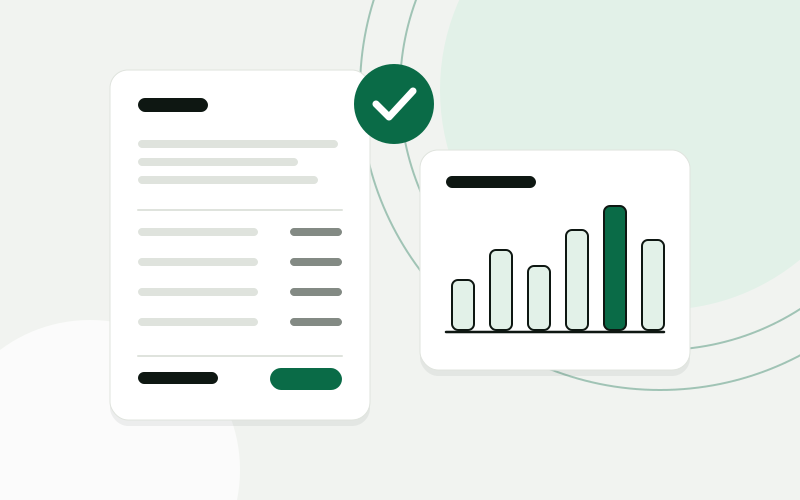 Accounting and bookkeepingClient documents collected, read and ready for the bookkeeperAn accounting office gets one place where clients hand in documents, an AI step that reads them, and a bookkeeper who confirms before anything is posted.Accounting office, 10 peopleRead the story
  E-commerce and retailFrom paid order to shipped parcel without copying dataAn online store connects the webshop, the warehouse, the courier and support, so an order moves on its own and customers can check its status themselves.Online store with its own warehouse, 15 peopleRead the story
  Hospitality and tourismEvery guest enquiry answered, in the guest’s own languageA holiday rental agency brings enquiries from every channel into one CRM, gets replies drafted in the guest’s language for staff to approve, and turns bookings into tasks for cleaning and maintenance.Holiday rental agency on the Adriatic, 12 peopleRead the story
 Questions about AI integrations
What happens to our data?
Before building, we agree in writing which data may be sent to a model and which may not. We choose the provider, the hosting region and the retention settings to match, and we keep sensitive fields out of prompts where they are not needed.
Models make things up. How do you deal with that?
By grounding answers in your documents and showing the source, by testing against real cases before launch, and by putting a person in front of anything where a wrong answer would be expensive. We do not promise a model that is never wrong.
Which models do you use?
Claude and GPT models, chosen per task. The build is kept independent of one provider where that is practical, so the model can be changed later.
Can it be hosted in the EU?
Yes, there are EU-hosted options for the models we use. If that is a requirement, tell us at the start, because it affects which services we choose.
Can the assistant change things in our systems?
It can, with limits you set. By default an agent prepares a change, such as a draft, a record or an update, and a person approves it. Steps are opened up one at a time once they have proved reliable.
Show us one process. We will show you what it could look like.
The analysis is free, takes about an hour of your time, and ends with a written summary you keep.
Prefer to read first? See examples