CRM implementation
A CRM your team keeps up to date
We build a custom CRM or set up Pipedrive, HubSpot or another popular platform around the way you sell, move your data into it, connect it to the rest of your tools and train the people who will use it.
Sales pipeline
New 2
Quote sent 2
Negotiation 1
What it is
One place where every deal and conversation lives
A CRM is worth having when it is the place the team looks first, not a report filled in on Friday. That depends on the setup: stages that match how you sell, as little manual entry as possible, and reminders that arrive at the right moment. It pays off once leads come from more than one place or more than one person sells.
- Stages and fields that match your sales process, not a template
- Enquiries and emails recorded automatically
- Reports the owner can read without asking anyone
Pipeline report · sample data
- Open deals24+3
- Quotes awaiting reply7−2
- Deals with no next step2−4
- Won this month9+1
What we deliver
From an empty account to a working sales system
Pipeline design
Stages, fields and rules based on how your deals move today, agreed with the people who sell.
Data migration
Contacts, companies and open deals moved from spreadsheets or an old CRM, cleaned and de-duplicated first.
Automations
Enquiries created as deals, follow-up reminders, task assignment and handover to the next team.
Integrations
Email, calendar, website forms, quoting and invoicing connected so data is entered once.
Reporting
A small set of dashboards for the pipeline, activity and sources, built around the questions you ask.
Training
Sessions with the team on their own data, and a short written guide for daily use and for new starters.
On screen
What your team opens every morning
Sample data: the board, the week ahead and the numbers nobody has to assemble.
Sales pipeline
New 2
Quote 1
Won 1
This week
MonTueWedThuFri
Sales report
New deals per week14 this week
Go deeper
Dedicated pages for each part of this service
A platform or a CRM built for you: each option on its own page.
Pipedrive implementation
Pipedrive set up around your sales process, with data migrated, automations built and the team trained.
Read moreHubSpot implementation
HubSpot set up so marketing, sales and service share one contact record, with data migrated and workflows built.
Read moreCustom CRM
A CRM built around your own process and data model, on a database you own, connected to what you already run.
Read moreHow a project runs
Set up around your sales process
- 01
Understand how you sell
We go through a few recent deals from first contact to invoice, and recommend a platform such as Pipedrive or HubSpot, or a custom CRM, based on what we find.
- 02
Configure
Pipeline, fields, permissions and templates are set up and reviewed with the team before any data moves.
- 03
Migrate and connect
Existing data is cleaned and imported, then email, forms and other tools are connected.
- 04
Train and adjust
The team starts using it on live deals. We adjust what turns out to be awkward in the first weeks.
What we work with
- CRM platforms
- Custom CRM, Pipedrive, HubSpot, Zoho CRM, Salesforce, Odoo CRM
- Connected to
- Gmail and Outlook, Google and Microsoft calendars, Website forms, Invoicing, ERP
- Automation
- Built-in CRM automations, n8n, Make
We start from what you already have. The list is what we reach for when something is missing, not a stack you have to adopt.
Do you need a CRM project?
A good fit when…
- Deals are tracked in spreadsheets, inboxes or memory
- Leads arrive from several places and some go unanswered
- You cannot see the pipeline without asking each salesperson
- You have a CRM, but nobody trusts what is in it
Probably not for you when…
- You have a handful of customers and all of them are known personally
- The team is not willing to change how deals are recorded
- You need a large enterprise platform with a dedicated administrator
- The real problem is too few enquiries, not how they are handled
Use cases
Where a CRM is used
Problems that a well-set-up CRM takes care of.
Every enquiry in the CRM, without retyping
Enquiries from forms, email and chat become contacts and deals in your CRM, with the right person notified.
Open use case SalesBusiness automationCRM implementationQuotes drafted from your price list
A quote is drafted from the deal, your price list and current stock, and waits for a salesperson to approve it.
Open use case SalesCRM implementationBusiness automationNo open quote left without a follow-up
The CRM reminds the owner, drafts the follow-up and shows which deals have gone quiet.
Open use case SalesCRM implementationBusiness automationA sales report nobody has to build
Pipeline, won and lost deals and activity, delivered on a schedule straight from the CRM.
Open use caseExamples
What a CRM build looks like
Illustrative scenarios, not client projects.
Sector stories
How this looks in your industry
Composite scenarios by sector, told from the first mapped process to daily use.
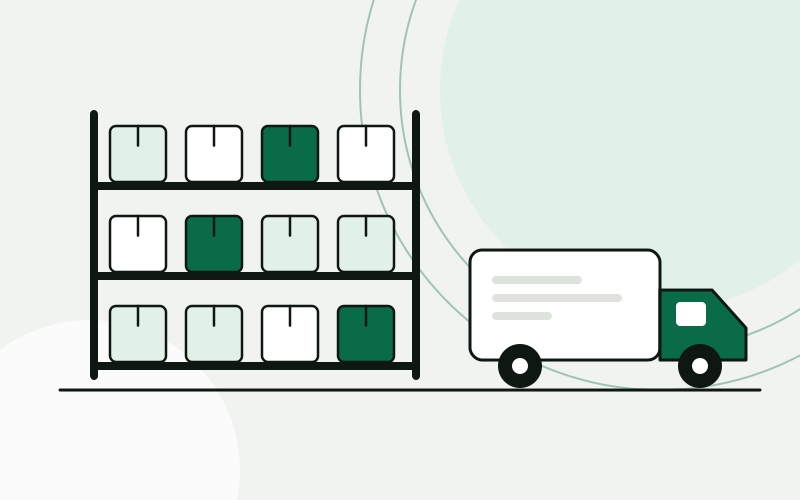 Wholesale and distributionStock, purchasing and quotes that run on one set of numbersA distributor moves stock, purchasing and sales into one ERP, connects the B2B portal to it, and gets quotes drafted from live prices and stock.Building-materials distributor, 25 peopleRead the story
  Hospitality and tourismEvery guest enquiry answered, in the guest’s own languageA holiday rental agency brings enquiries from every channel into one CRM, gets replies drafted in the guest’s language for staff to approve, and turns bookings into tasks for cleaning and maintenance.Holiday rental agency on the Adriatic, 12 peopleRead the story
 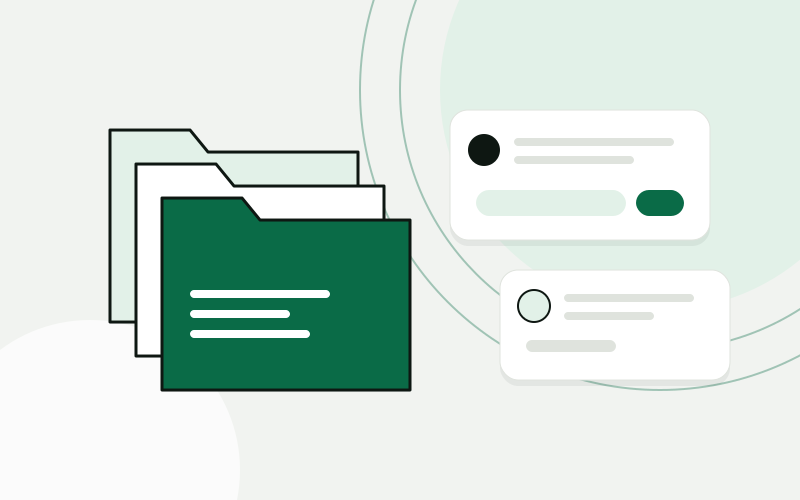 Professional servicesClients, documents and know-how in one place the whole office usesA law office gets a CRM built around its matters, a portal for clients, document intake that reads what arrives, and an assistant that answers from the office’s own documents.Law office, 14 peopleRead the story
 Questions about CRM implementation
A platform or a custom CRM: which one?
For most teams a platform is the faster route. Pipedrive is focused on the sales pipeline and is quick to adopt. HubSpot covers marketing and service as well. We also work with Zoho, Salesforce and Odoo CRM. A custom CRM makes sense when the way you sell does not fit a standard pipeline, or when the CRM has to live inside software you already run. We recommend one after the analysis, with the reasons written down.
We already use a different CRM. Can you help?
Often, yes. If the current CRM is sound and the problem is the setup, we would rather fix that than move you. If a move makes sense, we explain why before proposing it.
Can you move our existing data?
Yes. We export from spreadsheets or the old system, clean and de-duplicate it, map the fields with you and import it. You check a sample before the full import.
How do you get the team to use it?
By removing manual entry wherever we can, keeping required fields to what is used, and training on the team’s own deals. Adoption is a setup problem more often than a discipline problem.
Who pays for the CRM licences?
You hold the subscription directly with the vendor, in your own account. We do not resell licences.
Show us one process. We will show you what it could look like.
The analysis is free, takes about an hour of your time, and ends with a written summary you keep.
Prefer to read first? See examples