Wholesale and distribution
Stock, purchasing and quotes that run on one set of numbers
A distributor moves stock, purchasing and sales into one ERP, connects the B2B portal to it, and gets quotes drafted from live prices and stock.
Building-materials distributor, 25 people
Stock on hand
- TThermal insulation board 10 cmMain warehouse · reorder point set420
- FFacade adhesive 25 kgMain warehouse · purchase order open86
- RRoof membrane rollSecond warehouse34
- CCorner profile 2.5 mBelow reorder point12
The build at a glance
The sector
A distributor earns on availability and speed: the customer wants to know today whether the goods are in stock, at what price and when they can be delivered.
The answer depends on data that sits in several places, such as the warehouse records, supplier price lists, open purchase orders and customer-specific terms. Most of the working day in sales and purchasing goes on checking those places against each other. The larger the range, the more often they disagree.
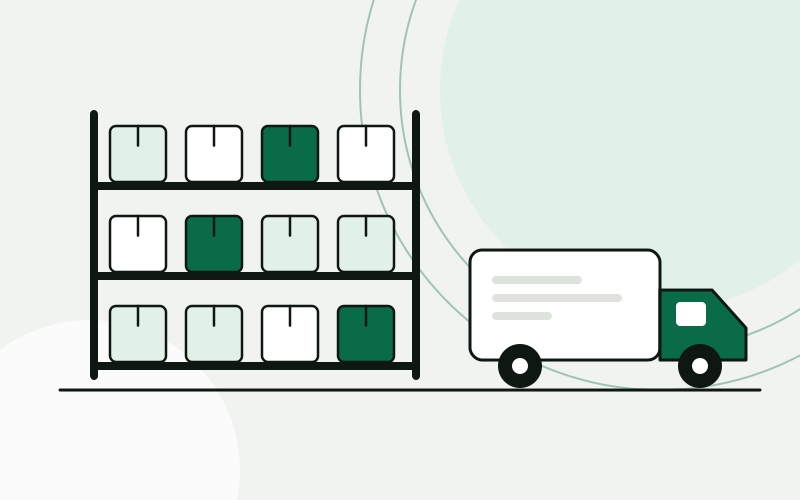
Where the time goes
Stock was kept in one program, purchasing in spreadsheets and customer terms in the heads of the salespeople. A quote meant phoning the warehouse, opening the supplier price list and typing everything into a document. The B2B portal showed stock from the night before, so customers ordered goods that were already sold. Purchasing found out about a shortage when a customer complained. Nobody trusted any single number without checking it somewhere else.
Stock levels differ between the warehouse, the portal and the sales spreadsheet
Quotes are typed by hand from several sources
Purchasing reacts to shortages instead of seeing them coming
Customer-specific prices live in individual inboxes
One system around how the work is done
Enquiry to quote
- EmailEnquiry receivedSales inbox or website form
- AIItems and quantities readUnclear lines are flagged
- ERPStock and customer price looked up
- CRMOpportunity opened and assigned
- QuoteDraft ready for the salesperson
- 01
One ERP for stock, purchasing and sales, set up in Odoo or built to measure, depending on how far the process departs from the standard
- 02
Items, customers, suppliers and price lists cleaned and migrated, with duplicates merged before the move
- 03
Reorder points per item, so a purchase order is proposed when stock falls below them and a buyer confirms it
- 04
Enquiries from the website and the sales inbox captured as opportunities, with a quote drafted from live prices and stock
- 05
The B2B portal reads stock and customer prices from the ERP and writes orders back into it
- 06
Invoices handed over to your accounting software without retyping
How the project runs
Four steps, one process at a time
- 01
Map the process
We follow one order from enquiry to invoice and one item from purchase to delivery, and write down every place the same data is entered.
- 02
Pilot one process
Stock and purchasing go live first, for one warehouse, with the old records kept in parallel until the numbers match.
- 03
Extend
Sales, quoting and the B2B portal are connected next, then the handover to accounting.
- 04
Care
We monitor the integrations, adjust reorder rules as seasons change and add reports as questions come up.
What changes for the team
- Prices in a quote come from the same record that is invoiced later
- Purchase proposals arrive on their own and a buyer decides
- Portal orders appear in the ERP without anyone copying them
- The owner reads stock value and open orders from one screen
Sales, purchasing and the warehouse look at the same stock figure, and the portal shows what is really on the shelf. A salesperson opens a prepared quote and checks it instead of assembling it. Purchasing sees what is running low before a customer does.
A composite scenario based on typical projects in this sector. It does not describe a named client, and the sample data is illustrative.
The same working day, before and after
What a few ordinary moments look like once the system is in daily use.
Questions from this sector
Does this replace our accounting software?
As a rule, no. Bookkeeping, tax reporting and fiscalisation stay in the accounting software you and your accountant already use, and the ERP hands invoice data over to it. We only look at changing that if you ask.
Odoo or a custom ERP: how do you decide?
We map how you buy, store and sell first. If a standard system covers it well, Odoo is quicker to adopt. If your pricing rules or the way you handle stock are unusual, we build only the modules you need.
What happens to our existing items, customers and price lists?
We clean and migrate them: duplicates are merged, units and codes are aligned, and you check a sample before the move. The old records stay available in parallel until the numbers match.
Can a quote go out without anyone looking at it?
No. The draft is prepared from live prices and stock, and a salesperson approves it before it is sent. The same goes for purchase orders: the system proposes, a buyer decides.
Do we have to switch everything at once?
No. Stock and purchasing usually go first, for one warehouse. Sales, quoting and the portal follow once the team trusts the stock figure.
Use cases in this story
Every enquiry in the CRM, without retyping
Enquiries from forms, email and chat become contacts and deals in your CRM, with the right person notified.
Open use case Business automationCRM implementationQuotes drafted from your price list
A quote is drafted from the deal, your price list and current stock, and waits for a salesperson to approve it.
Open use case ERP and business systemsBusiness automationOne stock figure in every system
Stock levels kept in step between the warehouse, the ERP and every sales channel.
Open use caseMore sector stories
 Accounting and bookkeepingClient documents collected, read and ready for the bookkeeperAn accounting office gets one place where clients hand in documents, an AI step that reads them, and a bookkeeper who confirms before anything is posted.Accounting office, 10 peopleRead the story
  E-commerce and retailFrom paid order to shipped parcel without copying dataAn online store connects the webshop, the warehouse, the courier and support, so an order moves on its own and customers can check its status themselves.Online store with its own warehouse, 15 peopleRead the story
  Hospitality and tourismEvery guest enquiry answered, in the guest’s own languageA holiday rental agency brings enquiries from every channel into one CRM, gets replies drafted in the guest’s language for staff to approve, and turns bookings into tasks for cleaning and maintenance.Holiday rental agency on the Adriatic, 12 peopleRead the story
 Show us one process. We will show you what it could look like.
The analysis is free, takes about an hour of your time, and ends with a written summary you keep.
Prefer to read first? See examples