Private clinics and dental practices
Booking, reminders and patient messages handled without the phone
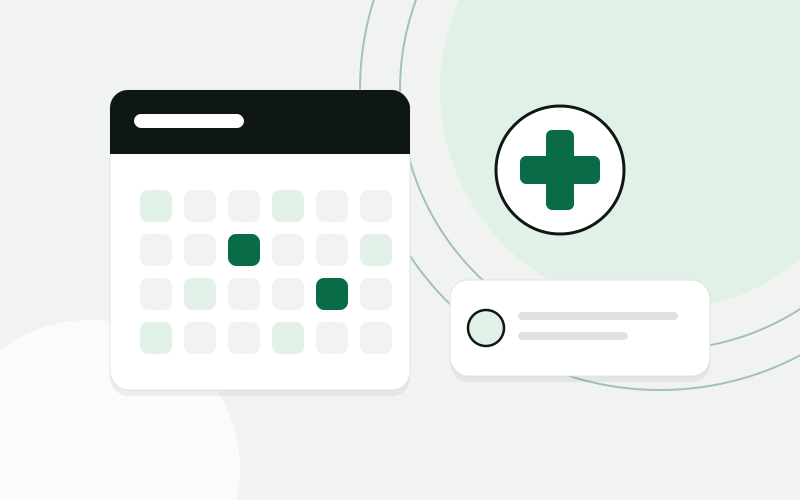
A practice lets patients book online, sends reminders and intake forms before the visit, keeps all enquiries in one inbox and invites patients back when a check-up is due.
Dental practice with two locations, 16 people
Patient enquiries
- Booking request, first visitWeb
- Question about reschedulingEmail
- Patient in pain, asks for a slot todayChat
- Check-up booked from a recall messageWeb
The build at a glance
The sector
A private practice runs on a full and well-ordered calendar.
Patients book by phone, cancel by message and ask questions by email, usually while the front desk is checking in somebody else. Before a first visit there are forms to fill in, and after treatment there are check-ups that should be booked months later. None of this is clinical work, but it takes the attention of people who are also the first face a patient sees. Patient data is sensitive, so every tool that touches it has to be chosen and set up with care.
Where the time goes
The phone was the only way to book, and it rang while the front desk was with patients. Reminders were sent by hand the day before, when there was time. New patients filled in paper forms in the waiting room, and the data was typed in afterwards. Recalls for check-ups depended on somebody going through the records. The two locations kept separate calendars, so the owner had no single view of how full the chairs were.
Calls go unanswered while the front desk is with a patient
Reminders and recalls depend on somebody finding the time
Intake forms are filled in on paper and typed in later
Each location has its own calendar and its own lists
One system around how the work is done
Messages around one appointment
- Confirmation sentEmail · date, location and practitionerScheduled
- Intake form sentFirst visit only · saved to the recordScheduled
- Reminder sentText message · link to rescheduleScheduled
- Check-up invitationSent after the practice approves the listScheduled
- 01
Online booking on the website, showing free slots per location and practitioner, with rules for how long each kind of visit takes
- 02
A confirmation at booking and reminders before the appointment, with a link to reschedule
- 03
A digital intake form sent before the first visit and saved to the patient record
- 04
One inbox for web, email and chat enquiries, with urgent messages marked for the front desk
- 05
A recall list built from the date and type of the last visit, sent after the practice approves it
- 06
A management overview of bookings, cancellations and occupancy per location
- 07
Access by role, so that each person sees only the patient data their job requires
How the project runs
Four steps, one process at a time
- 01
Map the process
We sit at the front desk for a day, list every way a patient gets in touch, and agree which data may be stored where.
- 02
Pilot one process
Reminders and online booking go live first, for one location and a limited set of visit types.
- 03
Extend
Intake forms, the shared inbox and recalls follow, then the second location and the overview for the owner.
- 04
Care
We keep the booking rules in step with your working hours and staff, and review access rights when people join or leave.
What changes for the team
- The phone is one of several ways to book, not the only one
- New patients arrive with their forms already filled in
- Recall lists are prepared and only need approval
- Occupancy and cancellations are visible per location
Patients book and reschedule on their own, and the front desk deals with the people in front of them. Reminders and recalls go out on schedule without anyone remembering to send them. The owner sees both locations in one overview.
A composite scenario based on typical projects in this sector. It does not describe a named client, and the sample data is illustrative.
The same working day, before and after
What a few ordinary moments look like once the system is in daily use.
Questions from this sector
Does AI answer patients’ medical questions?
No. Nothing in this build gives medical advice or takes part in clinical decisions. Automation handles booking, reminders, forms and sorting messages; anything about treatment goes to your staff.
How is patient data protected?
We store only what the process needs, in systems you control, with access set per role and a record of who opened what. Patient data falls under the GDPR as a special category, so we agree the storage locations and retention periods with you before anything is built.
Can it work with the practice software we already use?
That depends on whether your software offers a way to read and write appointments. We check this during the mapping. If it does not, booking requests can still arrive in one place for the front desk to confirm.
What happens with urgent cases?
Messages that mention pain or an emergency are marked and shown at the top of the inbox, and the website tells patients to call for anything urgent. A person at the front desk decides what to do with them.
Do patients have to agree to reminders and recall messages?
Yes. Consent is collected at booking or on the intake form and stored with the record, and every message includes a way to opt out.
Use cases in this story
Every enquiry in the CRM, without retyping
Enquiries from forms, email and chat become contacts and deals in your CRM, with the right person notified.
Open use case Business automationAI integrationsThe monthly report, assembled for you
Figures from accounting, sales and operations pulled into one report on a schedule, with a written summary.
Open use case AI integrationsBusiness automationA support inbox that sorts itself
Incoming messages are sorted by topic and urgency, routed to the right person and given a draft reply.
Open use caseMore sector stories
 Wholesale and distributionStock, purchasing and quotes that run on one set of numbersA distributor moves stock, purchasing and sales into one ERP, connects the B2B portal to it, and gets quotes drafted from live prices and stock.Building-materials distributor, 25 peopleRead the story
  Accounting and bookkeepingClient documents collected, read and ready for the bookkeeperAn accounting office gets one place where clients hand in documents, an AI step that reads them, and a bookkeeper who confirms before anything is posted.Accounting office, 10 peopleRead the story
  E-commerce and retailFrom paid order to shipped parcel without copying dataAn online store connects the webshop, the warehouse, the courier and support, so an order moves on its own and customers can check its status themselves.Online store with its own warehouse, 15 peopleRead the story
 Show us one process. We will show you what it could look like.
The analysis is free, takes about an hour of your time, and ends with a written summary you keep.
Prefer to read first? See examples